

Home | Contact Us | Submit Troubleshooting Info | Search | Help
Output | Software Solutions | Proofing | Color, Screening and Calibration | Scanning | Digital Photography | Consumables | POS
Home | Contact Us | Submit Troubleshooting Info | Search | Help
Output | Software Solutions | Proofing | Color, Screening and Calibration | Scanning | Digital Photography | Consumables | POS
Intro | Installation Procedure | Setup/Integration | Troubleshooting | Picker Upgrade Drawings
Attach the steel guide cables to the Picker Head
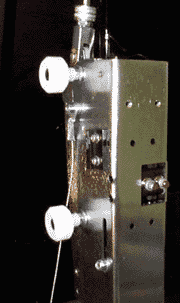 Install the 2
steel guiding cables, 50-1765A, onto both sides of the picker head. Note that the 2 M5
flat washers are to be between the cable eye and the picker head. Pay particular attention
to the angle that the cable is pointing.
Attach the Picker Rails to the load table
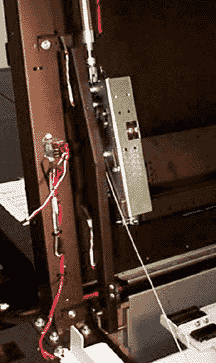 Install both picker
rails, 50-1763A and 50-1764A, onto the load table. Use M5x10 screws, flat washers, and
nylock nuts where required. Use the M5 pem in the load table post that is closest to the
center of the table. Also, use the bottom tie-wrap hole that is towards the center of the
load table. If you are working on an early machine that does not already have the top pem,
drill a 5.5mm hole. To do this easily, mount the rail with the bottom hole then mark
the load table through the top slot in the rail. Drill this new hole at the same
horizontal distance from the edge as the bottom hole. Do not tighten the rails at this
point.
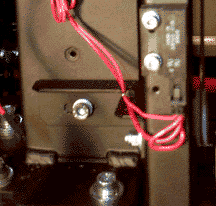 Plug in the
door reed-switch cable that comes from the relay on the left side of the load table.