Home | Contact Us | Submit Troubleshooting Info | Search | Help
Output | Software Solutions | Proofing | Color, Screening and Calibration | Scanning | Digital Photography | Consumables | POS
Home | Contact Us | Submit Troubleshooting Info | Search | Help
Output | Software Solutions | Proofing | Color, Screening and Calibration | Scanning | Digital Photography | Consumables | POS
Product |
Workstations with a Digi® ClassicBoard™ serial card, especially Trendsetter® NEWS™ and ThermoFlex®devices | ||
Symptoms |
Possible symptoms include:
|
||
Cause |
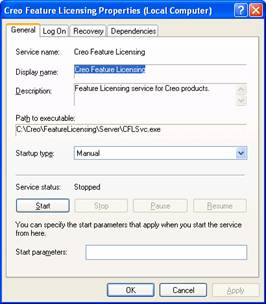
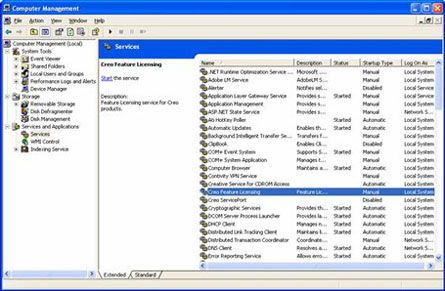
Communication errors increase on Digi ClassicBoard serial cards with any additional load on the workstation. Software such as Creo Feature Licensing (CFL) can cause additional load on a workstation. |
||
Solution |
|
||
See also |
|||
Technical contact |
|||
Submitted by |
|||
Date submitted |
13 Apr 2007 |
||