Home | Contact Us | Submit Troubleshooting Info | Search | Help
Output | Software Solutions | Proofing | Color, Screening and Calibration | Scanning | Digital Photography | Consumables | POS
Home | Contact Us | Submit Troubleshooting Info | Search | Help
Output | Software Solutions | Proofing | Color, Screening and Calibration | Scanning | Digital Photography | Consumables | POS
Product |
Any output device doing lenticular work |
||
Symptoms |
This example shows the transition in a lenticular ‘flip’ between a solid white and solid black image.
|
||
Cause |
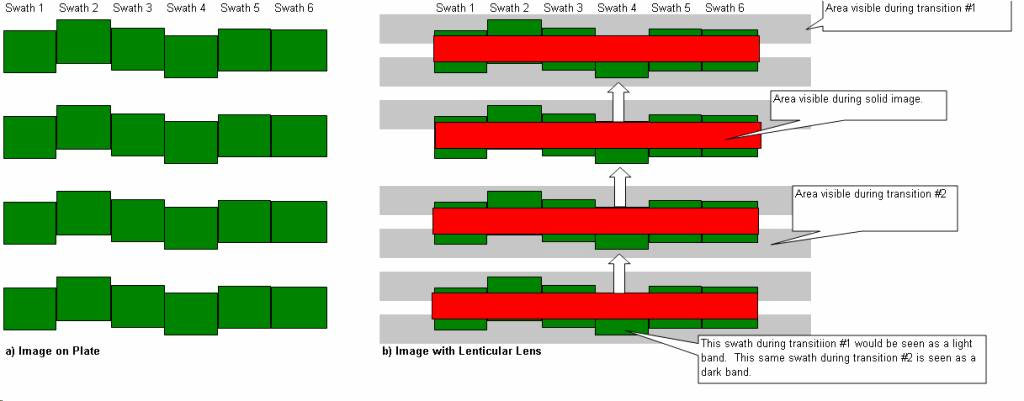
Each swath does not start at the same point around the drum. This causes a jitter artifact. The following diagram illustrates the effect.
|
||
Solution |
|
||
See also |
|||
Technical contact(s) |
|||
Submitted by |
|||
Date submitted |
13 Jul 2007 |
||