Home | Contact Us | Submit Troubleshooting Info | Search | Help
Output | Software Solutions | Proofing | Color, Screening and Calibration | Scanning | Digital Photography | Consumables | POS
Home | Contact Us | Submit Troubleshooting Info | Search | Help
Output | Software Solutions | Proofing | Color, Screening and Calibration | Scanning | Digital Photography | Consumables | POS
Ripro Backup (Legato) TIC - Installation Guide
Previous Page | ToC | Next Page
Legato Disaster Recovery
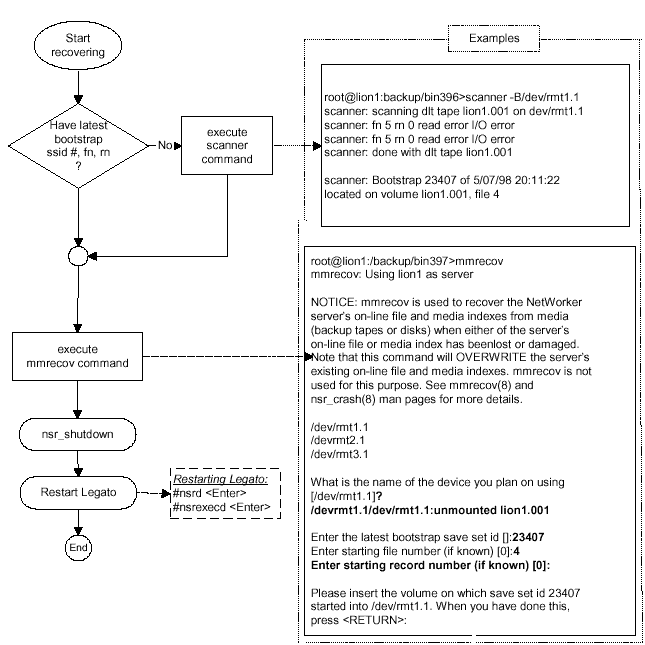
In case of a loss of Legato indexes on the system disk, follow the procedure described below:
May 15 09:31 1998 lion1’s bootstrap information Page 1
| date | time | level | ssid | file | record | volume |
| 5/15/98 | 9:31:19 | full | 30985 | 15 | 0 | lion1.001 |
If the customer is saving his bootstrap information daily, the scanner command in the second page, which takes a long time, does not have to be executed. The next command, mmrecov, is fast as long as the ssid, file number and record number are used.
By default, in the notification the bootstrap is the following:
/usr/bin/lp -c bootstrap -d%PRINTER
Since a printer is not directly connected to the server, change the line to the following:
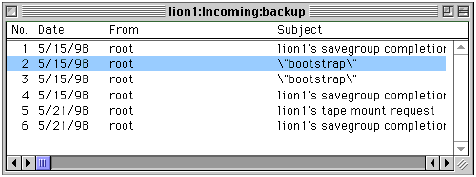
/usr/bin/mail -s \"bootstrap\" backup
Customers are required to print out the bootstrap information for a faster recovery process in case of a disaster.
The next page shows the recovery process in a chart form.