Home | Contact Us | Submit Troubleshooting Info | Search | Help
Output | Software Solutions | Proofing | Color, Screening and Calibration | Scanning | Digital Photography | Consumables | POS
Home | Contact Us | Submit Troubleshooting Info | Search | Help
Output | Software Solutions | Proofing | Color, Screening and Calibration | Scanning | Digital Photography | Consumables | POS
Ripro Backup (Legato) TIC - Installation Guide
Previous Page | ToC | Next Page
Auto Backing Up Legato Indexes
The following is a suggested procedure to back up Legato indexes onto a chosen dataVolume daily upon completion of the savegroup.
Both file and media indexes are backed up.
This means that one can go back one day in case of the problem.
Prerequisite:
/dataVolumes/ripro1.2.0/legato
How to configure the Notification mechanism:
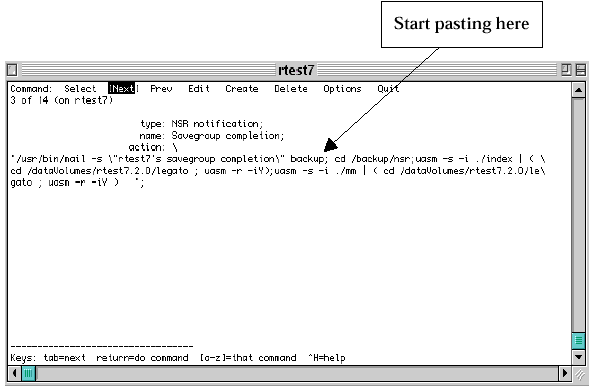
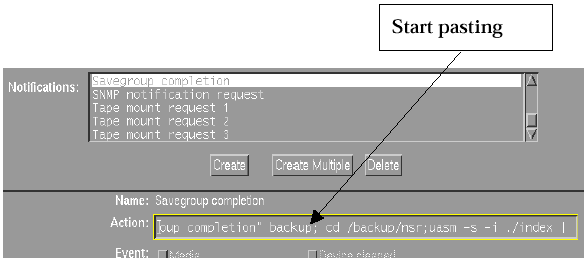
If working on the system consule of using macx – use nwadmin command.
cd /backup/nsr ; uasm -s -i./index |(cd/dataVolumes/ripro1.2.0/legato ; uasm -r -iY);uasm -s -i./mm | (cd/dataVolumes/ripro1.2.0/legato ; uasm -r -iY)
Note: You will see that Legato inserts a “\” every time it brakes the command line.
From now on, the indexes are copied daily to the chosen volume (cd /dataVolumes/ripro1.2.0/legato in this example).
To recover it back into /backup/nsr:
#cd/dataVolumes/ripro1.2.0/legato
#nsr_shutdown -a
# uasm –s -i./index | (cd/backup/nsr;uasm -r -iY)
# uasm -s -i./mm | (cd/backup/nsr;uasm -r -iY)