Home | Contact Us | Submit Troubleshooting Info | Search | Help
Output | Software Solutions | Proofing | Color, Screening and Calibration | Scanning | Digital Photography | Consumables | POS
Home | Contact Us | Submit Troubleshooting Info | Search | Help
Output | Software Solutions | Proofing | Color, Screening and Calibration | Scanning | Digital Photography | Consumables | POS
Ripro Backup (Legato) TIC - Installation Guide
Previous Page | ToC | Next Page
Working in the Networker Environment
NetWorker
Administration
Cleaning of the DLT is performed automatically by the system if a cleaning cassette is inserted in the last slot in the magazine.
Note: Since the Legato bug was reported, the default number of cleanings should be defined to 20. Run nsrjb –U 20 –S 64 j jbx1
 |
Never use cleaning cassette more than 20 times. |
Cleaning takes place in the following cases:
| Display | Diagnosis | Action |
| HC message is displayed. | Drive head needs cleaning or tape is bad. | Load cleaning cartridge into drive. |
| Data cartridge causes HC message to display. | Data cartridge may be damaged. | Backup this cartridge onto another one, discard the suspected cartridge. |
| HC message still displays after cleaning drive head. | Data cartridge may be causing problems. | Try another one. |
| HC message displays after loading cleaning cartridge. | Cleaning not performed, cartridge expired. | Replace cleaning cartridge. |
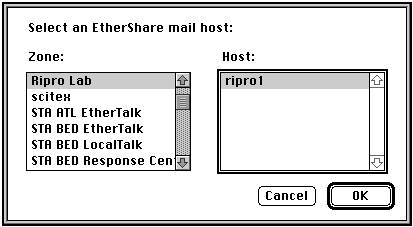
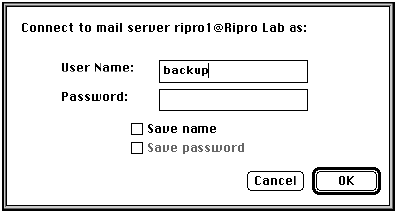
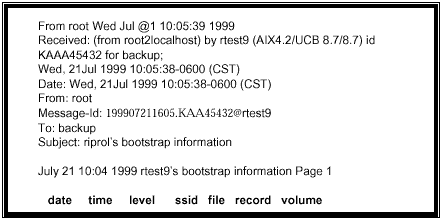
Check the Ripro Mail every day to verify that the backup was successful or if there are any failure messages.
Opening the Mail
The following screen appears.