Home | Contact Us | Submit Troubleshooting Info | Search | Help
Output | Software Solutions | Proofing | Color, Screening and Calibration | Scanning | Digital Photography | Consumables | POS
Home | Contact Us | Submit Troubleshooting Info | Search | Help
Output | Software Solutions | Proofing | Color, Screening and Calibration | Scanning | Digital Photography | Consumables | POS
Hub Test
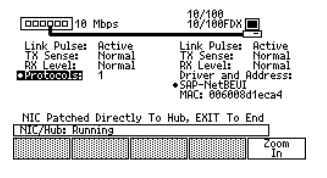
To test ports on a hub, attach a known good cat5 cable to the port labeled "TO HUB" on the LANMeter and attach the other end to the hub port. Run the "Hub Autotest" feature. Broadcast packets on the network should appear on the hub port and the LANMeter will then record the protocol, TX and RX levels. If none are recorded by the end of the sample period, you will want to initiate broadcast packets manually. This can be accomplished by opening the "Chooser" menu on a Mac, or the "Network Neighborhood" on a PC. Select a workstation that is physically located anywhere on the same network domain. The broadcast packets are transmitted to all ports in that domain.
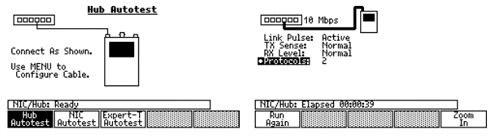
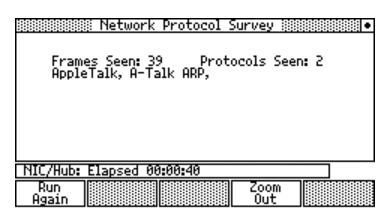
Highlight the "· Protocols:" menu to drill down and look at protocol information:
NIC Test
Network interface cards on a workstation can be tested by placing a known good cat5 cable between the "TO NIC" port on the LANMeter and the RJ-45 port on the NIC.
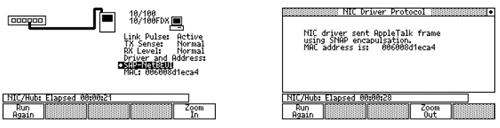
Select the "NIC Autotest" feature. You will have to initiate packet traffic to get complete results. Open the "Chooser" menu (Mac) or the "Network Neighborhood" (PC) on the workstation under test.
ExperT-Autotest
This test combines the "Hub Autotest" and the "NIC Autotest" into one test. Use two known good cat5 cables. Run both cables out of the LANMeter RJ-45 ports to the appropriately labeled locations (see Hub and NIC Autotest section). Run the "ExperT-Autotest" option.
Shared Ethernet Segment Tests
From the main menu, selecting the "Network Monitor" button will allow you to compile statistics in the same fashion as the switched mode. The network monitoring of a shared segment does allow you to use a few more in depth tests. A troubleshooting idea may be to move a device such as a server from a switched port to a concentrator hub with only the LANMeter sharing the hub with the server. This would allow you to run a few additional monitoring tests. This scenario is not one that is common today since switching technology has replaced shared environments, and so, please reference the LANMeter users manual.
Local Hosts
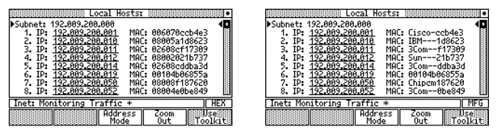
By highlighting the "Local Hosts" menu selection while in "Segment Discovery" you can view all active IP devices in that subnet. Pressing the "Address Mode" button will allow you to view the devices MAC address in complete Hexadecimal or Manufactures Prefix format.
Scroll through the list using the up/down arrow buttons.
Cable Tests
Please use the Fluke DSP 100 cable testers for checking category 5 rated cables. Contact the Scitex Network Services Group for availability.