|
Product |
|
Magnus® 800
|
|
Background |
|
This procedure describes how to remove and replace
the unloading platform exit rollers.
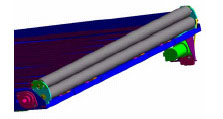
There are two unloading platform exit rollers—an upper roller
and a lower roller.
The upper roller touches the emulsion side of the plate, whereas the lower
roller touches the aluminum side of the plate.
|
|
Procedure |
|
Removing the unloading platform exit rollers
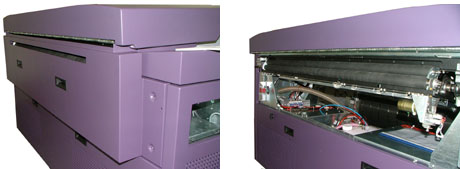
- Remove the platesetter’s upper rear panel:
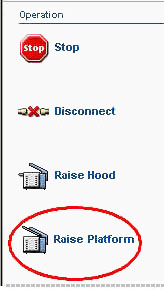
- In Magnus Controller click Raise Platform to raise
the loading platform:
- Replacing the unloading platform motor on Magnus 800
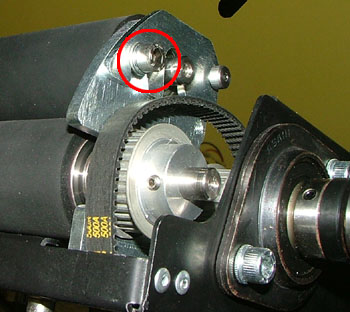
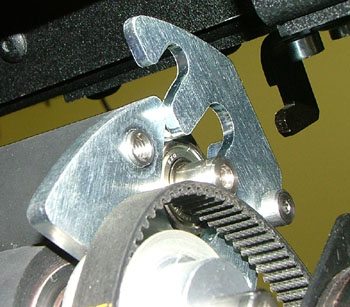
- Use a 4-mm hex key to remove the two screws (one on either end of
the roller) securing the upper exit roller bracket to the hinge:
- Raise the two upper exit roller hinges (one on either end of the roller):
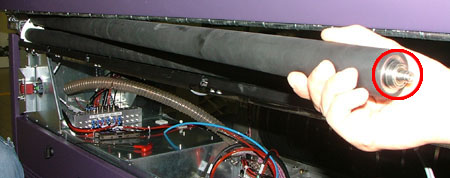
- From one end of the platesetter, extract the upper exit roller.
Be careful not to drop the upper exit roller bearings, located on both
ends of the roller’s axle:
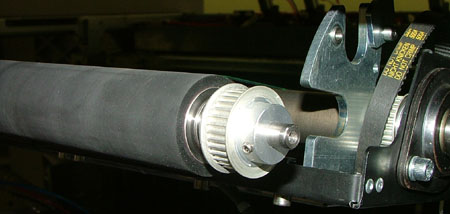
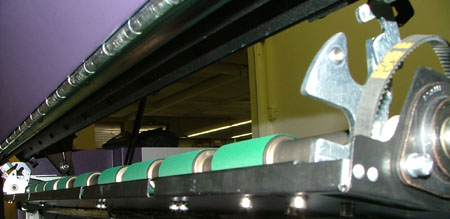
- From one end of the platesetter, extract the lower exit roller:
Replacing the unloading platform exit
rollers
- Insert the lower unloading platform exit roller into its housing on
the platesetter. Make sure you have placed the relevant bearings on
both ends of the exit roller.
- Insert the upper unloading platform exit roller into its housing on
the platesetter. Make sure you have placed the relevant bearings on
both ends of the exit roller.
- Close the two upper exit roller hinges (one on either end of the platesetter).
- Use a 4-mm hex key to insert the two screws (one on either end of
the platesetter) that secure the hinges to the exit roller brackets.
- Replacing the unloading platform motor on Magnus 800
|
|
Test |
|
- In Magnus Controller, activate the unloading platform exit rollers
and make sure they rotate smoothly and continuously.
- Load and unload several plates of different sizes and thickness and
make sure the process is running smoothly and continuously.
|
|
See also |
|
Replacing the unloading platform motor on Magnus 800
|
|
Technical contact(s) |
|
Content owner: Yaron Shifman
See the Escalation page for escalation
contacts.
|
Date submitted |
|
13 Jan 2005
|

