Home | Contact Us | Submit Troubleshooting Info | Search | Help
Output | Software Solutions | Proofing | Color, Screening and Calibration | Scanning | Digital Photography | Consumables | POS
Home | Contact Us | Submit Troubleshooting Info | Search | Help
Output | Software Solutions | Proofing | Color, Screening and Calibration | Scanning | Digital Photography | Consumables | POS
Debris Removal System | Device Upgrade | Electronic Registration | Encoder | Engine/Drum | Exposure Head | Film Option | Keyswitch | M3000 | Media Upgrades | Plate Handling | RF Immunity | Speed Upgrades | Table
UDRC-BP Upgrade, 40W V-speed
- Kit: 02-4468A (replaces 05-0156)
- VLF Platesetter/Trendsetter VLF UDRC-B Installation/Upgrade Procedure, 40W, V-speed, 72-3428A
- ECO: D501 and CA00232
- To order: Order Form for Output Device Upgrades to Add a Universal Debris Removal Cabinet (UDRC-BP)
- To add the UDRC upgrade kit to a 20W VLF Trendsetter, complete this order form: Debris Removal Upgrade for F-speed VLF Trendsetters
Shaft Encoder (Heidenhain) Upgrade
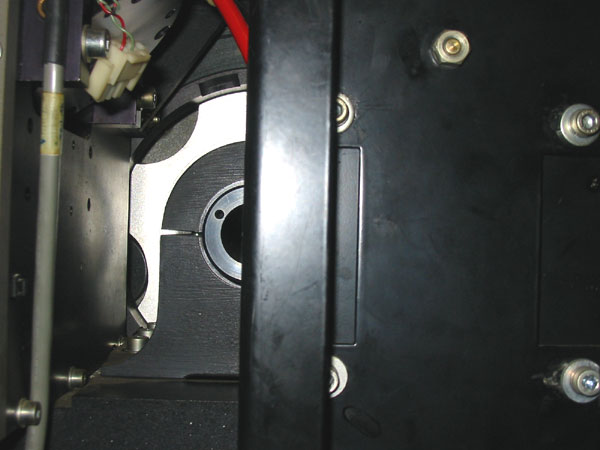
Warning: Machines with serial numbers BB01 to B019 cannot be upgraded. A post on the frame blocks access to the encoder, and the drum pin cannot be removed. photo | close-up
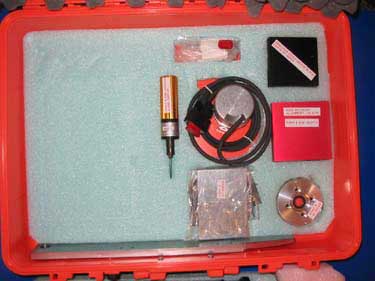
- Parts kit: 05-0195 -- Order from Service Logistics -- BOM | photo
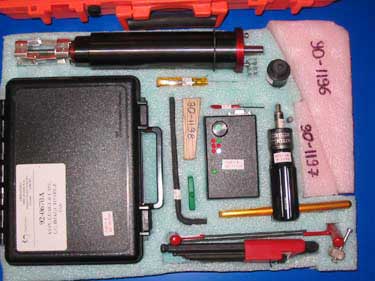
- Tool kit: 90-1191 -- BOM | photo
Use the list of owners to find out who has the tool kit in your region. Order it directly from that person.
Note: You must order both the kit (05-0195) and the tool (90-1191) before doing the upgrade.- Test files:
- Invalid Key
- Grid 1 (TIFF) [31MB]
- Invalid Key
- Grid 2 (TIFF) [22MB]
- Procedures:
- Upgrading from an Optical Encoder to a Shaft Encoder (for the new Heidenhain encoders).
- Shaft Encoder Upgrade (for the older Heidenhain encoders with dampening ring).
- See the Optical Encoder Failures troubleshooting item before doing the upgrade.
- ECOs:
Backbone Check Valve Upgrade
Pulley End Drum Balancer Upgrade
- Kit: 05-0233
- Drawing: Upgrade drawing 05-0233
- ECO: E269
Plate Flyoff Detector
- 5080 - 05-0034
- 5880 - 05-0035
- ECO: B573
Resistive Brake
VLF Thermal Imaging Head Replacement Diagram
24V-48V Laser Power Supply Retrofit
Kit #10-3981B-C must be used for this upgrade (make sure that the relay is the new black one - 15-3358).
Speed Upgrades - Quantum Devices
Current Imaging Speed New Upgrade Speed How To Order Upgrade Kit v2.5 V2.8
- Complete and FAX document #725-00022A, Trendsetter VLF Imaging Speed Upgrade - V1.7x to V2.8 Site Questionnaire and Parts Order Form to Order Management.
- Install the upgrade kits that you receive from Order Management, following document #725-00023A, Trendsetter VLF Imaging Speed Upgrade - V1.7x to V2.8 Installation Procedure. See FCO CA11321 for additional instructions.
02-4487B-08 V2.0 V2.8 02-4487B-06 V1.7 V2.8 02-4487B-05 S V2.8
- Complete and FAX document #725-00021A, Trendsetter VLF Imaging Speed Upgrade - F and S (20W) to V (40W) Site Questionnaire and Parts Order Form to Order Management. See FCO CA11321 for additional instructions.
- Install the upgrade kits that you receive from Order Management, following document #725-00024A, Trendsetter VLF Imaging Speed Upgrade - F and S (20W) to V (40W) Installation Procedure. See FCO CA11321 for additional instructions.
02-4487B-04 F V2.8
- Complete and FAX document #725-00021A, Trendsetter VLF Imaging Speed Upgrade - F and S (20W) to V (40W) Site Questionnaire and Parts Order Form to Order Management. See FCO CA11321 for additional instructions.
- Install the upgrade kits that you receive from Order Management, following document #725-00024A, Trendsetter VLF Imaging Speed Upgrade - F and S (20W) to V (40W) Installation Procedure. See FCO CA11321 for additional instructions.
02-4487B-07 S F ul> Complete and FAX document #725-00021A, Trendsetter VLF Imaging Speed Upgrade - F and S (20W) to V (40W) Site Questionnaire and Parts Order Form to Order Management. See FCO CA11321 for additional instructions. Install the upgrade kits that you receive from Order Management, following document #725-00024A, Trendsetter VLF Imaging Speed Upgrade - F and S (20W) to V (40W) Installation Procedure. See FCO CA11321 for additional instructions. 02-4487B-10 Speed Upgrades - Entry Level Devices
Current Imaging Speed New Upgrade Speed How To Order Upgrade Kit v2.5 V2.8
- Complete and FAX document #725-00022A, Trendsetter VLF Imaging Speed Upgrade - V1.7x to V2.8 Site Questionnaire and Parts Order Form, to Order Management
- Install the upgrade kits that you receive from Order Management, following document #725-00023A, Trendsetter VLF Imaging Speed Upgrade - V1.7x to V2.8 Installation Procedure. See FCO CA11321 for additional instructions.
02-4487B-01 S V2.8
- Complete and FAX document #725-00021A, Trendsetter VLF Imaging Speed Upgrade - F and S (20W) to V (40W) Site Questionnaire and Parts Order Form to Order Management
- Install the upgrade kits that you receive from Order Management, following document #725-00024A, Trendsetter VLF Imaging Speed Upgrade - F and S (20W) to V (40W) Installation Procedure. See FCO CA11321 for additional instructions.
02-4487B-02 F V2.8
- Complete and FAX document #725-00021A, Trendsetter VLF Imaging Speed Upgrade - F and S (20W) to V (40W) Site Questionnaire and Parts Order Form to Order Management
- Install the upgrade kits that you receive from Order Management, following document #725-00024A, Trendsetter VLF Imaging Speed Upgrade - F and S (20W) to V (40W) Installation Procedure. See FCO CA11321 for additional instructions.
02-4487B-03 S F
- Complete and FAX document #725-00021A, Trendsetter VLF Imaging Speed Upgrade - F and S (20W) to V (40W) Site Questionnaire and Parts Order Form to Order Management
- Install the upgrade kits that you receive from Order Management, following document #725-00024A, Trendsetter VLF Imaging Speed Upgrade - F and S (20W) to V (40W) Installation Procedure. See FCO CA11321 for additional instructions.
02-4487B-09 Media Upgrades
Dessicant to Dehumidifier Upgrade
Dehumidifier Unit Upgrade
Extended Image Option
Note: Customers will be charged for this upgrade, and it is not supported by the Trendsetter VLF Autoloader (except in manual mode).
The upgrade requires MPE firmware 2.02. Contact Al Edge for details.
- Kit: 518-00405B DWG
- Procedure: Installing 81.5" Plate Guides
- ECO: CA02367
Plate Size Upgrade
The Trendsetter VLF model number defines the speed of the machine and the maximum plate size. Changing the maximum plate size is a chargeable upgrade. There are no parts required for the upgrade, only the config model parameter is changed in the device. To do that:
To obtain the configuration password, contact Al Edge.
- If Print Console is running, close it.
- Reset the device.
- When the device finishes startup, type >>config "password" "model".
The password is the configuration password obtained from Product Support and must be entered within 4 minutes of a reset. The model is the code obtained from the table in section 4.1 in the document Installing 81.5" Plate Guides. For example, "TV428" is a 2.8-speed 5467 TSVLF.
Head Guards Upgrade
Table Upgrade
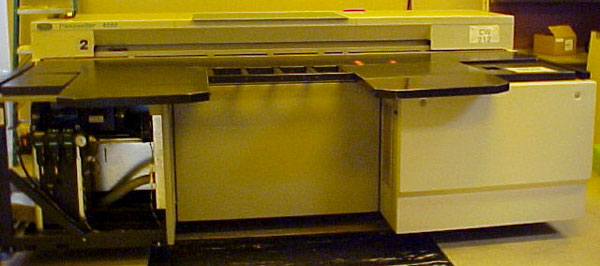
Applies to Machines B1 to B19 only. These machines have a slightly different table design (for example, the operator interface panel is on the opposite side - see the B1-B19 table photo) and an old-style counterweight (see the B1-B19 counterweight photo).
- Kit, 5880 tables: 05-0041
- Kit, 5080 tables: 05-0042
- Trendsetter VLF table upgrade procedure
Warning! This is a complicated upgrade and should not be attempted without contacting the PSS in Product Development, Al Edge, for advice and recommendations.Table Wedge Upgrade