Home | Contact Us | Submit Troubleshooting Info | Search | Help


    Output | Software Solutions | Proofing | Color, Screening and Calibration | Scanning | Digital Photography | Consumables | POS


Replacing the unloading platform motor belt on Magnus 800


Product


Magnus® 800


Background


This procedure describes how to remove and replace the unloading platform motor belt.

The belt connects the unloading platform motor to the lower exit roller sprocket.


Procedure


Removing the unloading platform motor belt

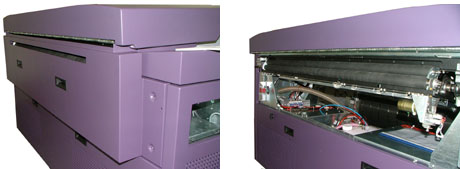
  1. Remove the platesetter’s upper rear panel:


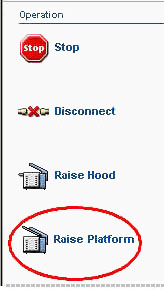
  2. In Magnus Controller, click Raise Platform to raise the loading platform:


  3. Replacing the unloading platform motor on Magnus 800
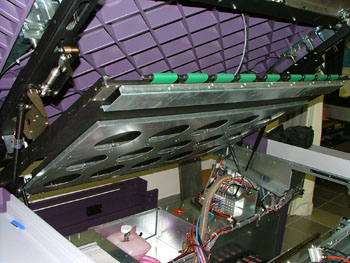
  4. Manually raise the unloading platform:


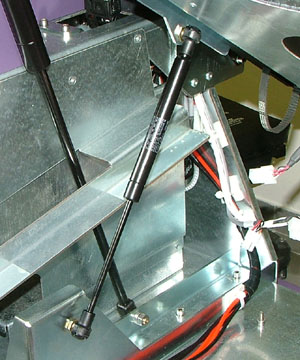
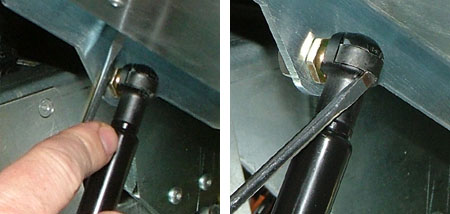
  5. The unloading platform is supported by two gas springs:


    Each gas springs is secured into place by two black safety clips (one clip is located at the top of the gas spring and the second clip is located at the bottom of the gas spring).
    Insert a flat head screwdriver into the safety clips located at the top of the gas springs and gently pry the clips open. It is not necessary to remove the clip:


  6. Once the clips have been opened, carefully extract the upper arms of the gas springs from their bearings and gently lower the unloading platform until it rests securely on the chassis.
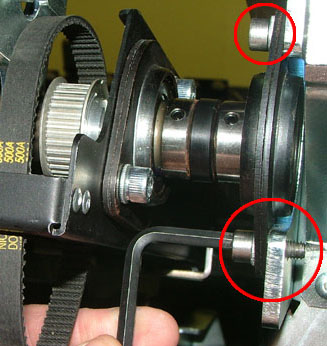
  7. The unloading platform is connected to the platesetter chassis by four screws (two on either side of the platesetter).
    Use a 5-mm hex key to remove the four screws:


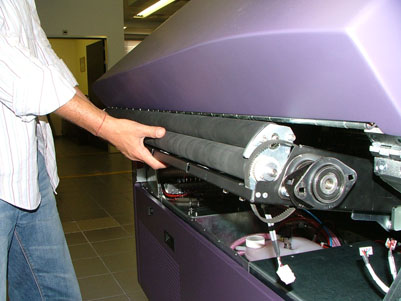
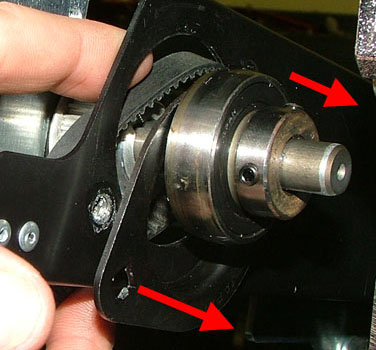
  8. From the rear of the platesetter, slightly pull out the unloading platform:


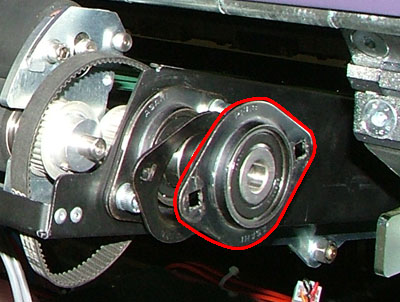
  9. Remove the two outer bearing houses from each end of the platesetter:


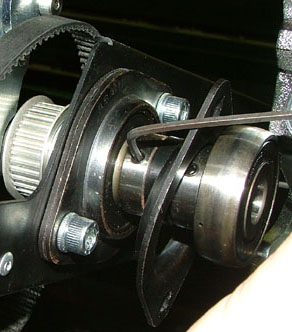
  10. There are two bearings on the left side of the platesetter. Each bearing has two set screws. Use a 2.5-mm hex key to loosen all four set screws (two screws per each bearing):


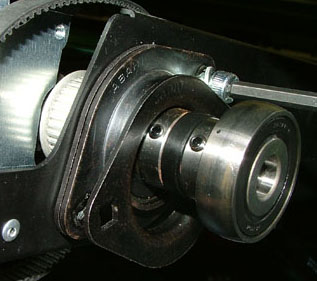
  11. On the left side of the platesetter, use a 5-mm hex key to remove the two screws securing the bearing house to the unloading platform:


  12. Move the bearing house towards the end of the roller.
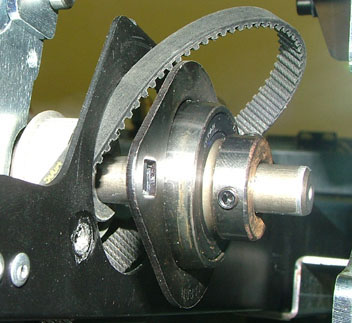
    Make sure the gap between the innermost bearing house and the unloading platform is large enough to extract the motor belt.


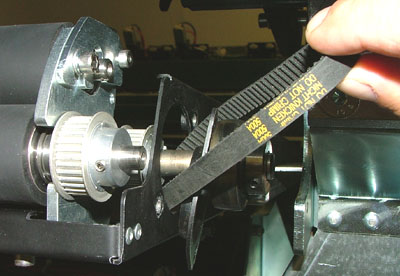
  13. Extract the belt by pulling it through the gap between the bearing house and the unloading platform:


Replacing the unloading platform motor belt

Important: Unless otherwise stated, coat all screws in Loctite® 242.

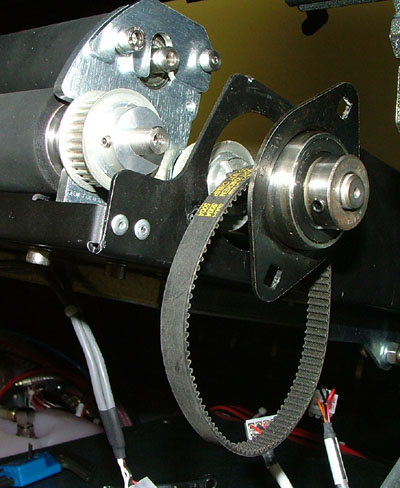
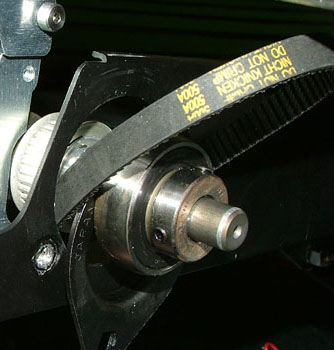
  1. Place the motor belt over the end of the unloading platform axle. Insert the belt through the gap between the inner most bearing house and the unloading platform:


  2. Slide the two bearings into position. The innermost bearing must be flush against the side of the unloading platform.
  3. Use a 5-mm hex key and two screws to secure the bearing house to the unloading platform.
  4. Tighten the two set screws on each bearing.
  5. From the rear of the platesetter, push the unloading platform back into place.
  6. Use a 5-mm hex key and four screws (two on either side of the platesetter) to secure the unloading platform to the chassis.
  7. Manually raise the unloading platform and reinstall the two gas springs onto their bearings.
  8. Reinsert the two black safety clips to ensure that the gas springs are secure.
  9. Replacing the unloading platform exit rollers on Magnus 800
  10. Replacing the unloading platform motor on Magnus 800

Test

 
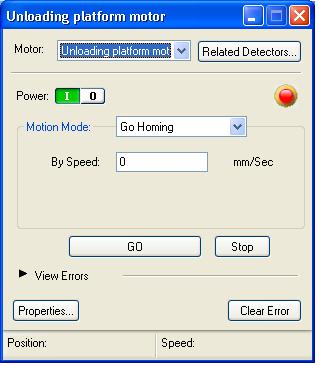
  1. In Magnus Controller, locate the Unloading platform motor dialog box:


  2. Click GO to activate the motor.
  3. Load and unload several plates of different size and thickness.
  4. Make sure that the motor, belts and the loading/unloading process are all running smoothly and continuously.

See also


Technical contact(s)
 

Content owner: Yaron Shifman
See the Escalation page for escalation contacts.

Date submitted
 

13 Jan 2005


    Copyright © 2005 Creo Inc. All rights reserved. Confidential. Back to top.