

Home | Contact Us | Submit Troubleshooting Info | Search | Help
Output | Software Solutions | Proofing | Color, Screening and Calibration | Scanning | Digital Photography | Consumables | POS
Home | Contact Us | Submit Troubleshooting Info | Search | Help
Output | Software Solutions | Proofing | Color, Screening and Calibration | Scanning | Digital Photography | Consumables | POS
Print version: To print out the instructions below, click on the print icon  at the top of the page.
Positioning the head requires the following conditions:
To get the Thermal II Head ready for positioning, you need to power up and initialize the device:
The following two messages should appear:
>>Datalink: exposure head coming online
If these messages do not appear, power down the machine, open the access panels, and inspect the cables connected to the head.
If the following message appears:
incompatible head firmware detected
Then enter the command 5981>>list version and identify the cause of the incompatibility.
5981>>hotlink enable
5981>>hotlink status
5981>>hotlink disable.
To set the media parameters for the plate used to position the head:
5981>>media N
5981>>loaded5981>>loaded force i3 (changes media index to 3)
5981>>loaded force t 400 (changes media thickness to 400 microns)
Note: The write and focus lasers are both disabled if any of the safety interlocked panels are open. The safety interlock override keyswitch does not re-enable either laser. To complete the head positioning, the panels must be closed and the focus laser on.
For details on setting up the Media and Head parameters, refer to the media technical note for the specific media.
5981>>carriage moveto 1035mm
5981>>drum move 60
5981>>redirect enable
TH2>>eng
TH2>>foc cal reflectfoc cal reflect to use for TH2>>set med <#>: sr <value>
5981>>redirect disable
5981>>head install on. The monitor will display the focus sensor sum, difference, and error values.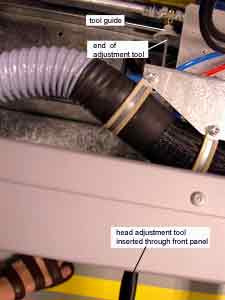
Inserting the screw adjustment tool |
5981>>head install off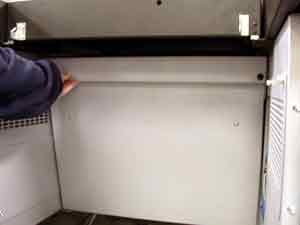
Removing the head access panel |
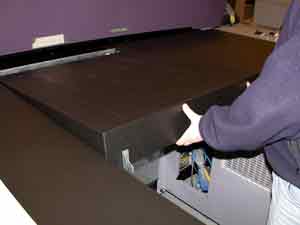
Removing the table center panel |
5981>>head install on.
5981>>head install off.
false edge detected or another error message is displayed, you should investigate to find and fix the problem.