Home | Contact Us | Submit Troubleshooting Info | Search | Help
Output | Software Solutions | Proofing | Color, Screening and Calibration | Scanning | Digital Photography | Consumables | POS
Home | Contact Us | Submit Troubleshooting Info | Search | Help
Output | Software Solutions | Proofing | Color, Screening and Calibration | Scanning | Digital Photography | Consumables | POS
Ripro Backup (Legato) TIC - Installation Guide
Networker Installation and Configuration
The CreoScitex Backup Utility is supplied as a stand-alone application, which automates backup operations performed by the CreoScitex Ripro Server and supports CreoScitex Scheduled Archiving functionality.
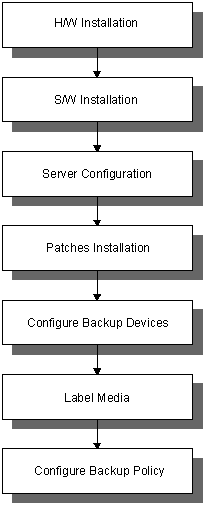
This document provides a description of the installation (software and hardware) and configurations procedures, as well as providing a basic user work flow.
Once installed and configured according to your specific requirements, this application runs automatically (you must verify that the necessary tapes are available). It is highly recommended to monitor the progress of any backup operation and to read the notifications on your mail application on a daily basis.
You can reconfigure the utility at any time and for any reason.
 |
Ensure that you have MacX installed and/or
that you can open a x-window on your server terminal. For Macs with a PCI platform, use MacX ver 1.5 only. |