Background
|
|
The objective of the laser uniformity test is to verify that the laser
beams are working properly, and are not significantly different from each
other in their visual results.
Each laser beam must produce a clean screen that is free of jitters,
unexpected patterns, and differences in dot shape.
|
Procedure
|
|
- Verify the following:
- All the laser ddb factors are set to 0.
- In the registry, under EXPOSE, the Laser Calibration From Host
Enable parameter is set to 0.
Note: For this test you must activate all available diodes
in the laser box.
- Load a plate.
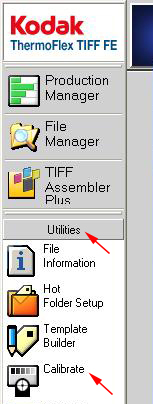
- In TIFF FE, from the Launch Pad, select Utilities > Calibrate.
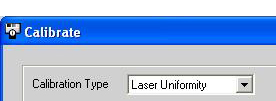
- In the Calibration Type box, select Laser Uniformity.
- In the Current Plate list, select the plate that you are using.
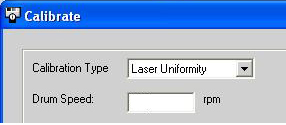
- In the Drum Speed box:
- Flexo plates: Type the value you found in the drum speed
test.
- Offset plates: Type 500.
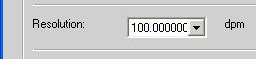
- In the Resolution list, select 100.
- Define the Image offset values:
- Horizontal offset—The value around the drum in mm
- Vertical offset—The value along the drum in mm
If you use the same plate for several tests, define different offset
values for each test.
Note: The (0,0) offset coordinate is located at the upper-left
corner of the plate.
- In the Test Factor Values (%): section, in the From
and To boxes, type a value of 0.
- In the Number of Steps box, type 1.
- Click Test to expose the plate.
- Visually check the results to see if the lasers work and produce a
clean screen (no slashes, patterns, shifts, extra dark or bright solids`,
etc.). If the results are not acceptable, repeat the test. If all tests
produce the same results, the diode is faulty.
- A diode that does not work may influence adjacent diodes, so first
replace only the diodes that produce effects such as patterns, and the
diodes that produce a much darker solid than those of the surrounding
diodes (such as the two indicated on the left in the following picture).

- If all lasers work and produce a clean screen, continue with the Resolution Calibration Test
procedure.
- If one or more lasers do not work or do not produce a clean screen,
replace the required diode(s) and perform the procedure again.
|

